Mobile Game GUI Pack 01: Your Complete Design Toolkit
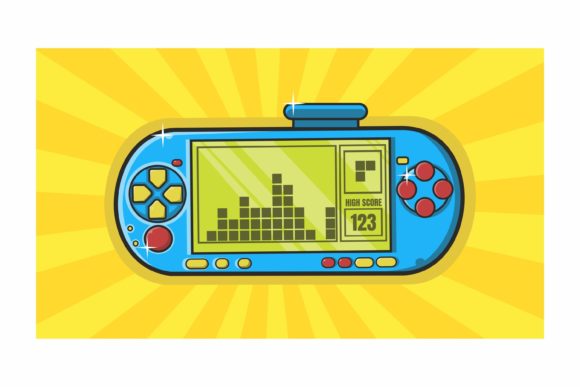
If you're building a 2D mobile game, you know the interface is just as crucial as the gameplay itself. A polished, intuitive GUI can be the difference between a frustrating experience and one that players love. That's where a comprehensive asset pack comes in, saving you countless hours and ensuring a professional finish. The Mobile Game GUI Pack 01 is designed to be that essential toolkit, providing a versatile collection of graphical user interface elements ready for your next project.
What's Inside This Design Asset Collection?
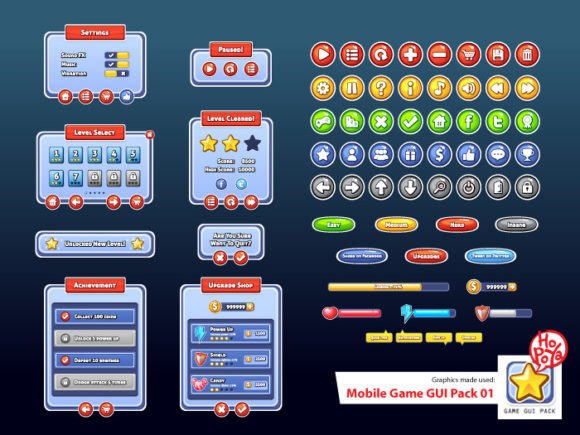
This isn't just a random assortment of images. It's a thoughtfully curated pack of graphical user interface assets built for flexibility and ease of use. The core of the collection includes over 40 customizable buttons, each available in five distinct color variations. This allows you to quickly match your game's unique color palette and art style. Beyond buttons, you'll find customizable window frames, panels, health bars, coin counters, and other fundamental game elements that form the backbone of any player interface.
Designed for Creative Flexibility
Every creator works differently, so the pack provides maximum flexibility. You'll receive vector AI and EPS10 files, which are perfect for scaling elements to any size without losing quality—a critical feature for supporting various screen resolutions. For those who prefer ready-to-use assets, transparent PNG files are included, making drag-and-drop implementation straightforward in most game engines.
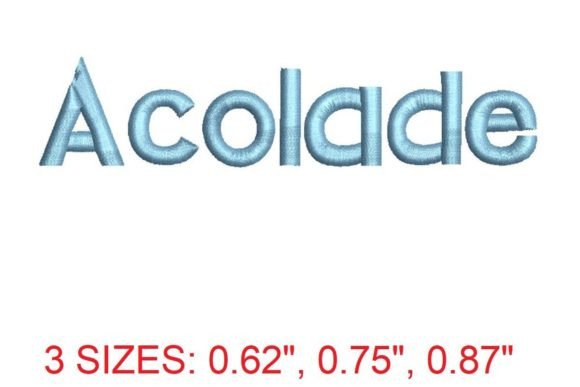
A key component tying the visual language together is the use of the Aller Display typeface. This premium font is a modern sans-serif with a clean, geometric feel, excellent for in-game text, UI labels, and menus. Its clarity at small sizes makes it a practical choice for readability, while its distinct personality helps with brand identity.
Practical Uses for Your Game Project
The true value of a GUI pack is measured in its application. Here’s how you can put these assets to work:
- Rapid Prototyping: Quickly assemble a functional UI mockup to test gameplay flow and user experience before investing in custom art.
- Polished Final Product: Use the customizable buttons and windows as a foundation, adjusting colors and details to perfectly match your game's final art direction.
- Consistent Branding: The cohesive design style of the pack ensures your menus, settings screen, and pop-ups all share a unified look, enhancing your game's professional presentation.
- Cross-Platform Adaptability: The vector and high-resolution PNG formats make it easier to adapt your UI for different devices and screen sizes.
Tips for Choosing and Using GUI Assets
When integrating any design asset, a little planning goes a long way. First, always check the readability of text elements, especially when using custom fonts like Aller Display. Test your UI in context to ensure buttons are tappable and text is legible on mobile screens. Second, consider the mood. The clean lines of this pack suit modern, casual, and hyper-casual games particularly well. Finally, think about font pairing. While Aller Display is versatile, you might pair it with a simple serif font or a handwritten script for specific in-game narratives or titles to create visual hierarchy.
Choosing the right design assets is about more than just filling a canvas. It's about crafting an experience. A well-designed GUI pack provides the building blocks for a seamless, engaging interface that feels intuitive to the player. By starting with a strong, versatile foundation, you free yourself to focus on what truly makes your game unique—the story, the mechanics, and the fun.